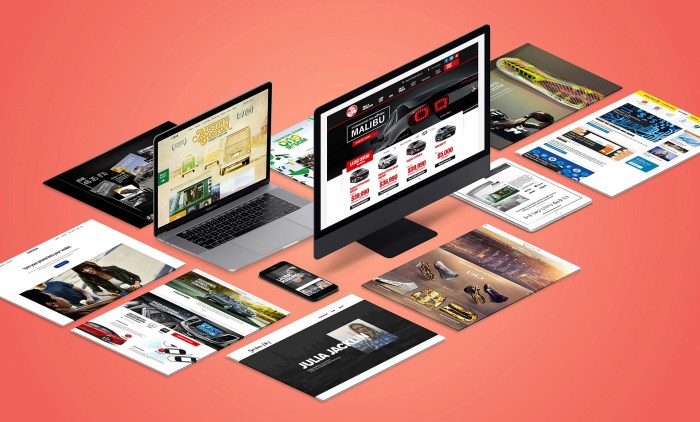
Interactive web design and graphics set the stage for a captivating online experience, blending creativity and user engagement seamlessly. Dive into a world where innovation meets functionality, and let your imagination run wild with the possibilities of interactive design.
Interactive Web Design and Graphics
Interactive elements play a crucial role in web design as they engage users, create a more dynamic user experience, and encourage user interaction. These elements can include animations, videos, quizzes, sliders, and more, making the website more engaging and memorable for visitors.
Static vs. Interactive Web Design
Static web design refers to websites that do not change content unless manually updated, whereas interactive web design allows users to engage with the content. In static web design, information remains fixed, while interactive design allows for real-time feedback and customization based on user input.
- Static web design is more traditional and one-way communication, while interactive web design fosters two-way communication and engagement.
- Interactive web design can provide personalized experiences for users based on their preferences and interactions, making the website more user-friendly.
- Static websites may be easier and quicker to develop, but interactive websites tend to have higher user engagement and retention rates.
Role of Graphics in Enhancing User Interaction
Graphics play a vital role in enhancing user interaction on websites by making the content visually appealing and engaging. High-quality images, videos, icons, and animations can capture users’ attention, convey information more effectively, and create a memorable user experience.
- Graphics can help to break up text-heavy content, making it easier for users to consume information and navigate the website.
- Interactive graphics, such as infographics or interactive charts, can engage users and encourage them to explore and interact with the content.
- Well-designed graphics can establish brand identity, evoke emotions, and leave a lasting impression on users, enhancing overall user satisfaction.
Innovative Interactive Web Designs Examples
Nike Reactland
An interactive video game experience where users can control a virtual character through real-life obstacles.
The Boat
A website that uses parallax scrolling and interactive elements to tell a visual story of a boat journey.
Google Earth Voyager
An interactive map experience that allows users to explore different locations and learn about various cultures and ecosystems.
Computer Repair and Consulting

When it comes to computer repair and consulting, it’s essential to understand the common services offered by consultants, the process of diagnosing hardware and software issues, tips for maintaining optimal computer performance, and the benefits of seeking professional help.
Common Computer Repair Services Offered by Consultants
- Hardware repair and replacement
- Software troubleshooting and installation
- Virus and malware removal
- Data recovery and backup
- Network setup and configuration
Diagnosing Hardware and Software Issues
- Performing system scans to identify malware and viruses
- Running diagnostic tests to pinpoint hardware failures
- Checking for software conflicts and compatibility issues
- Reviewing system logs for error messages and warnings
Tips for Maintaining Optimal Computer Performance
- Regularly update software and operating system
- Install antivirus software and perform regular scans
- Clean up temporary files and optimize storage space
- Avoid downloading suspicious files or visiting malicious websites
- Keep computer physically clean and well-ventilated
Benefits of Seeking Professional Consulting for Computer Issues
- Access to expertise and specialized knowledge
- Save time and avoid further damage by getting the issue resolved quickly
- Potential cost savings in the long run by preventing major issues
- Peace of mind knowing that your computer is in good hands
Data Communication
Data communication is the process of exchanging data between two devices through a transmission medium. In modern technology, data communication plays a crucial role in enabling devices to connect and communicate with each other over networks. It allows for the transfer of information, such as text, images, videos, and more, across various types of networks.
Wired vs. Wireless Data Communication Technologies
Wired data communication technologies involve physical connections, such as Ethernet cables or fiber optics, to transmit data. They offer reliable and secure connections but may have limitations in terms of mobility. On the other hand, wireless data communication technologies use radio waves to transmit data without the need for physical connections. While wireless technologies provide greater mobility, they may be more susceptible to interference and security risks.
Impact of Data Communication on Networking and Internet Connectivity
Data communication is essential for networking and internet connectivity as it enables devices to communicate and share information over networks. It forms the backbone of modern networking infrastructure, allowing for the seamless transfer of data between devices. Without data communication, the internet as we know it would not be possible, as it relies on the exchange of data packets between servers and clients to deliver information across the globe.
Data Communication Protocols for Secure Transmission of Data
Data communication protocols are a set of rules and standards that govern the exchange of data between devices. They ensure that data is transmitted securely and efficiently over networks. Protocols like TCP/IP (Transmission Control Protocol/Internet Protocol) establish reliable connections and facilitate the error-free transmission of data packets. Additionally, encryption protocols like SSL/TLS (Secure Sockets Layer/Transport Layer Security) help protect data from unauthorized access during transmission.
Computers E-Books
E-books have revolutionized the way we access and share information, especially in the computer industry. Let’s explore the advantages of e-books for computer-related topics and how they have evolved over time.
Advantages of E-books for Computer Topics
- Portability: E-books can be accessed on multiple devices, making it convenient for users to carry a vast library of computer-related books wherever they go.
- Searchability: E-books allow users to easily search for specific topics or s, saving time compared to flipping through physical books.
- Interactivity: Some e-books include interactive elements like videos, quizzes, and simulations, enhancing the learning experience.
Evolution of E-books in the Computer Industry
- In the early days, e-books were simple PDF files, but now they come in various formats optimized for different devices like e-readers, tablets, and smartphones.
- Technological advancements have made e-books more interactive, with features like hyperlinks, multimedia content, and annotations.
- Online platforms and e-book stores have made it easier for authors to publish and distribute computer-related e-books to a global audience.
Popular E-books for Learning About Computers and Technology
- “Code: The Hidden Language of Computer Hardware and Software” by Charles Petzold
- “Clean Code: A Handbook of Agile Software Craftsmanship” by Robert C. Martin
- “The Phoenix Project: A Novel about IT, DevOps, and Helping Your Business Win” by Gene Kim, Kevin Behr, and George Spafford
Revolutionizing Computer Information Access with E-books
E-books have made it easier for both beginners and experts to access up-to-date information on computers and technology. With the ability to update content instantly, e-books ensure that readers have the latest knowledge at their fingertips.
Graphics and Multimedia
Graphics and multimedia play a crucial role in enhancing user experience on websites. They help to capture the attention of visitors, convey information more effectively, and create a visually appealing interface that keeps users engaged.
Latest Trends in Graphic Design and Multimedia Content
In the world of graphic design and multimedia content, some of the latest trends include 3D elements, minimalist design, dark mode themes, bold fonts, and interactive animations. These trends aim to create a more immersive and interactive experience for users.
How Multimedia Elements Make Websites More Engaging
Multimedia elements such as videos, animations, and interactive graphics can make websites more engaging by providing a dynamic and interactive experience. They help to break up text-heavy content, convey information more effectively, and create a memorable user experience.
Examples of Successful Integration of Graphics and Multimedia in Web Design
One great example of successful integration of graphics and multimedia in web design is the website of National Geographic. They use stunning images, interactive maps, and videos to enhance the storytelling experience and engage users. Another example is the website of Apple, which incorporates sleek animations and product visuals to showcase their products in an engaging way.
Computers Hardware
When it comes to computer hardware, there are several components that work together to ensure the smooth functioning of a computer system. From the processor to the memory, each hardware component plays a crucial role in the overall performance of the computer.
Different Components of Computer Hardware
- Processor (CPU): Often considered the “brain” of the computer, the processor carries out instructions and performs calculations.
- Memory (RAM): Temporary storage for data and instructions that the processor needs while running programs.
- Storage (Hard Drive, SSD): Long-term storage for all data, programs, and operating systems.
- Motherboard: Connects and allows communication between all components of the computer.
- Graphics Card (GPU): Responsible for rendering images and videos on the screen.
- Power Supply Unit (PSU): Supplies power to all components of the computer.
Importance of Hardware Compatibility in Computer Systems
Hardware compatibility is crucial for ensuring that all components of a computer system work seamlessly together. Incompatible hardware can lead to system crashes, performance issues, and even hardware damage. It is essential to check compatibility when upgrading or building a computer system.
Process of Upgrading Computer Hardware
- Identify the component you want to upgrade.
- Research compatible options for the chosen component.
- Purchase the new hardware component.
- Power off the computer and disconnect all cables.
- Replace the old component with the new one, following manufacturer instructions.
- Power on the computer and install necessary drivers.
Tips for Optimizing Computer Hardware Performance
- Clean the computer regularly to prevent dust buildup, which can affect cooling and performance.
- Ensure proper ventilation to prevent overheating of components.
- Update drivers and software regularly to ensure compatibility and performance improvements.
- Upgrade to an SSD for faster boot times and overall system performance.
- Monitor system performance using task manager or third-party software to identify any bottlenecks.
Conclusion
Explore the endless possibilities of interactive web design and graphics, where creativity knows no bounds and user engagement is key. Step into a realm where every click, scroll, and hover brings a new element of excitement to the digital world.
FAQ Guide
Why is interactive web design important?
Interactive web design enhances user engagement and creates a more memorable online experience.
What are some examples of innovative interactive web designs?
Examples include parallax scrolling, interactive infographics, and gamified websites.
How do graphics enhance user interaction on websites?
Graphics make content more visually appealing and can guide users through the website effectively.


